
Export customers
 Getting started
In this article, you can find information about Yves Rocher e-commerce customer export with various filter options to a .csv file, that will help to export the exact type of customers that have an account on the Yves Rocher e-commerce platform.
 RememberYou can find information regarding the Beauty Advisor customer export in the [UNDER CONSTRUCTION] article.
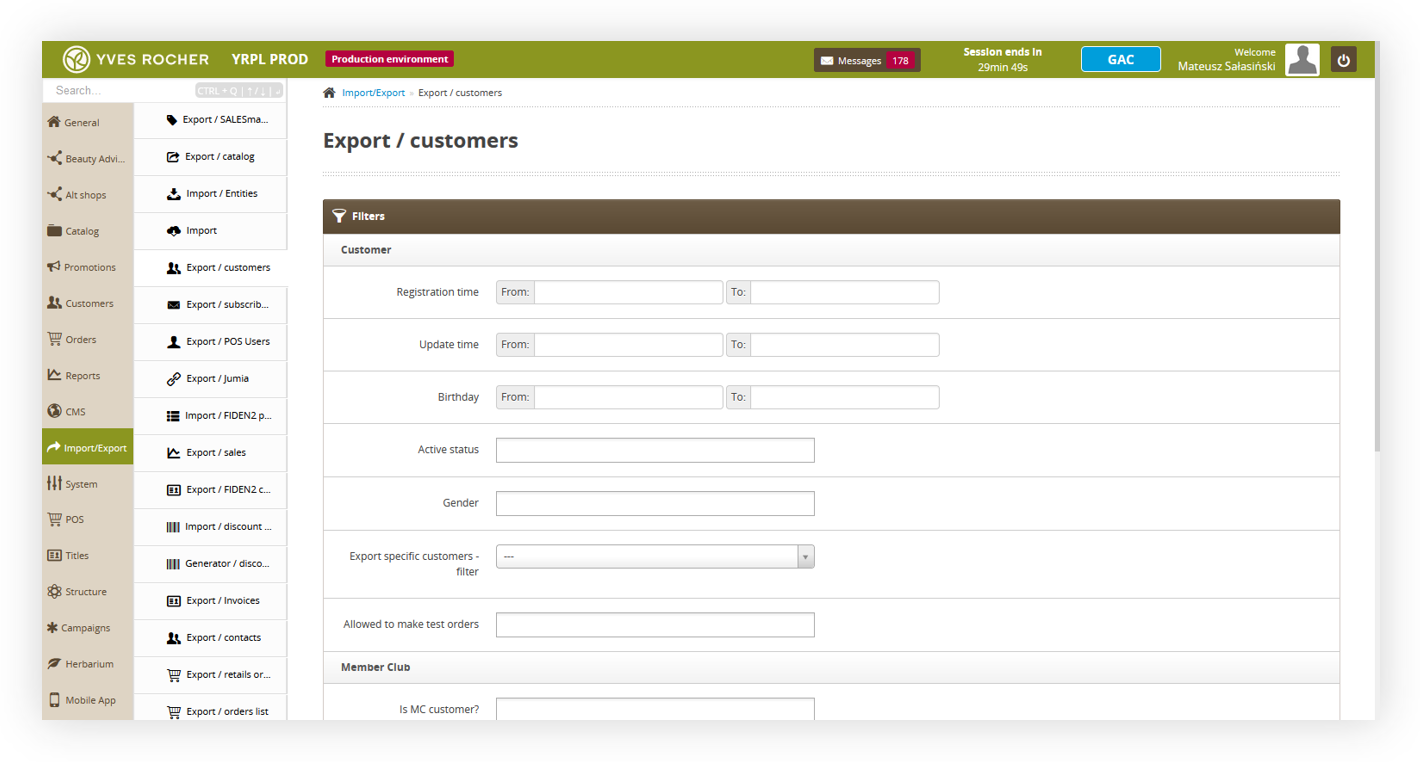 |
| Visualization of the export customers tab location |
Table of contents:
Exporting the e-commerce customers
E-commerce customer export can be found in
Import / Export > Export / customers
Below you can find all filter options to customize your export to your needs.
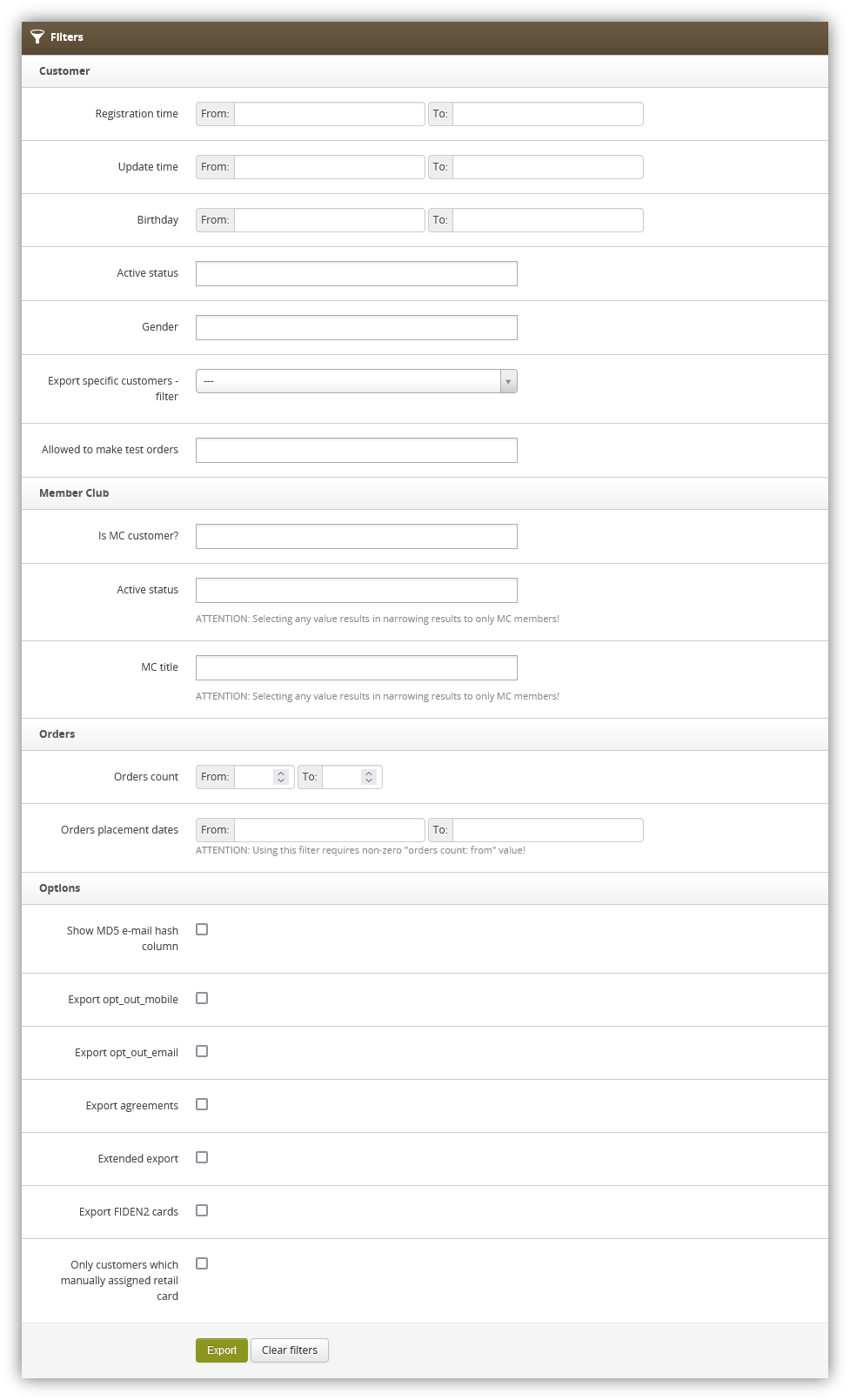 |
| Visualization of the all available export filters |
- Registration time - A range of dates when customers registered on an Yves Rocher e-commerce platform.
- Update time - A range of dates whenever customer information has been updated.
- Birthday - A range of dates of customer birthdays.
- Active status - Customers current status. Available statuses are: Inactive, Active, Waiting for activation, One-time
- Gender - Customers gender. Available options are Man, Woman, Not specified.
- Export specific customers - filter - A filter which allows to specify customers by their:
- ID
- JOY ID
club customers MC title - Member club title assigned to the customers (in the case of Poland it can be T0 / TS / TG). This field only filters the member club customers. Orders count - A range of numbers of created orders on the website. Orders placement dates - A range of dates when customers have placed new orders using the Yves Rocher e-commerce platform. Using this filter requires a non-zero "orders count: from" value. Show MD5 e-mail hash column - Shows customers MD5 e-mail hash column in the report. Export opt-out_mobile - Shows customers current mobile communication
subscription status. Export opt_out_email - Shows customers current e-mail communication subscription status. Export agreements -Exports all available agreements as columns and defines which customers have agreed to the selected agreements. Extended export - Exports customers with the following additional columns:
- Company_name - A company name value from the customer profile (if available).
- Tax_id - Tax ID value from the customer profile (if available).
- Company_id - Company ID value from the customer profile (if available).
- Date_of_registration - registration date on the website in DD-MM-YYYY format.
- SOURCE_CUSTOMER_ID - Source from where customer registered.
- StreetNumber - A combination of building and flat values in one cell separated by the vertical bar "|" (e.g, 3a | 1)
- cards_active - A list of customers active FIDEN2 cards
- cards_waiting - The number of points waiting to be assigned to the selected customer FIDEN2 cards.
- cards_balance - Current FIDEN2 balance
- cards_balance_time - A date of last balance change for the selected customer.
With selected filters you can export customers using the Export button or clear all filters by using the Clear filters button.
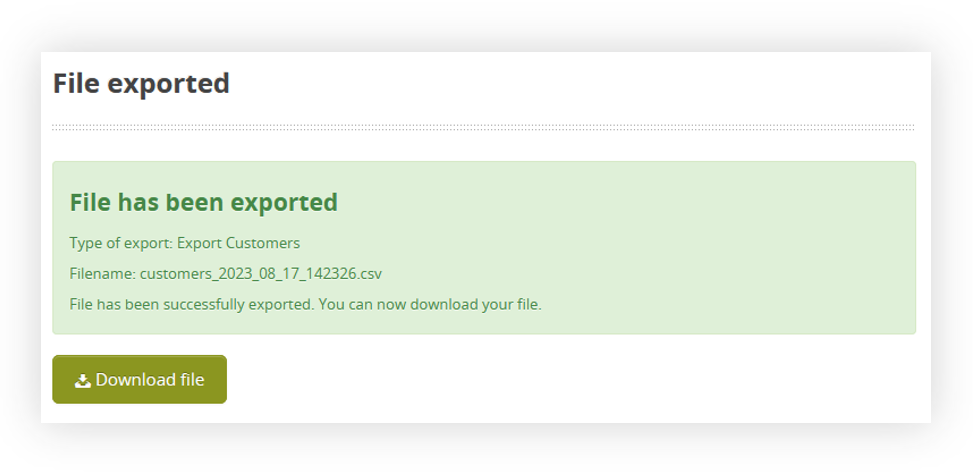 |
| Visualization of the prepared export file |
With exported file you are able to download it to your device using the Download file button.
Exported file overview
The exported file will be in a .csv format with an export date and hour in it's file name (i.e. customers_2023_08_16_131359)
 |
| Visualization of the exported csv file |
By default in the exported customers file you can find the following columns:
- id - Customers internal ID. Example: 123456
- first_name - Customers name. Example: Jan
- last_name - Customers surname. Example: Kowalski
- street - Main street name. Example: Uliczna
- building - Main building number. Example: 123
- flat - Main flat number. Example: 2
- city - Main city name. Example: Warsaw
- postal_code - Main postal code. Example: 12-345
- email - Customers e-mail address. Example: [email protected]
- mobile - Customers mobile number with a country code. Example: 48123123123
- birthday - Customers birthday date. Example: 01-01-1990
- gender - Customers gender (if selected). Example: Man
With additional fields dependent on selected options:
- md5_email - Customers MD5 email value. Example: 26h2cb31af663cdccaa2779c9d165a0b
- opt out mobile - Customers mobile communication current status. If the customer is opted in this value will be empty. If the customer is opted out the value will be set to Opted out.
- opt out email - Customers e-mail communication current status. If the customer is opted in this value will be empty. If the customer is opted out the value will be set to Opted out.
- Customers agreement status to the selected agreements - These fields will have different column names depending on the country and selected agreements (i.e. terms_of_service_vpi, data_processing_mc). Whenever the customer has agreed to the selected agreement there will be a "Selected" value in the column. If the customer has not agreed to the agreement the field will be empty.
- cards_active - A list of customers active FIDEN2 cards. Example: 123456789, 987654321.
- cards_waiting - The number of points waiting to be assigned to the selected customer cards. Example: 123
- cards_balance - Current FIDEN2 balance Example: 5333
- cards_balance_time - A date of last balance change for the selected customer.
Example: 05-08-2023 - Company_name - A company name value from the customer profile (if available).
- Tax_id - Tax ID value from the customer profile (if available).
- Company_id - Company ID value from the customer profile (if available).
- Date_of_registration - registration date on the website in DD-MM-YYYY format.
- SOURCE_CUSTOMER_ID - Source from where customer registered.
- StreetNumber - A combination of building and flat values in one cell separated by the vertical bar "|" (e.g, 3a | 1)