
Export / Invoices
 Getting started
In this article, you can learn about export / invoices functionality, which will allow you to export list of orders with their basic invoice and order information. In order to access this module you have to have BOK supervisors, MC business admin, Administrator, Super administrator, or Root group.
You can find the example export file under the URL:
https://knowledge.tauceti-digital.com/invoice_report_example.xlsx
 Visualization of the exported invoices list
To open the invoices export view, in the admin panel, navigate to:
Import / export > Export / Invoices
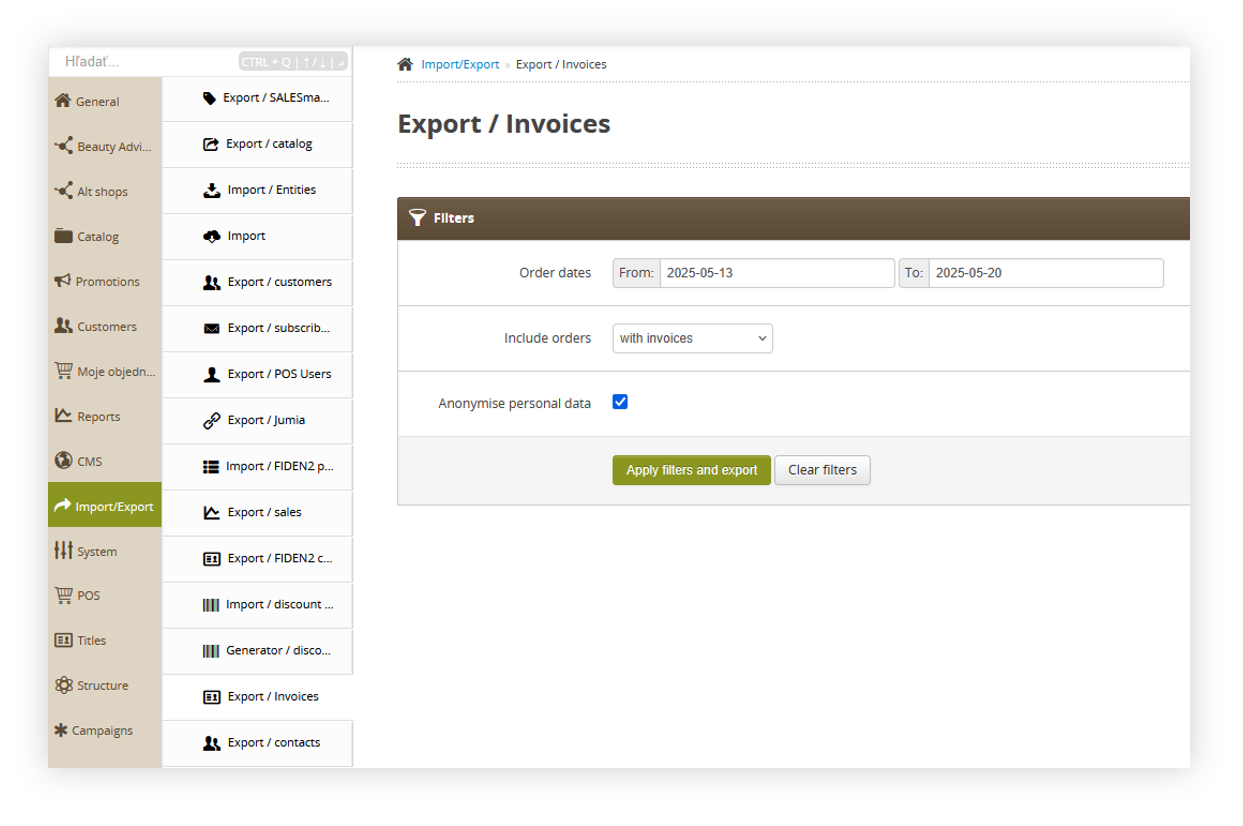 Visualization of the export / orders list module in the administrator panel
Table of contents:
Filters section
The Filters section allows the sorting of the orders in the export / orders list module, based on the available filters. Orders are not visible by default and it is required to apply any filter first in order to see them. Below you will find a description of each filter.
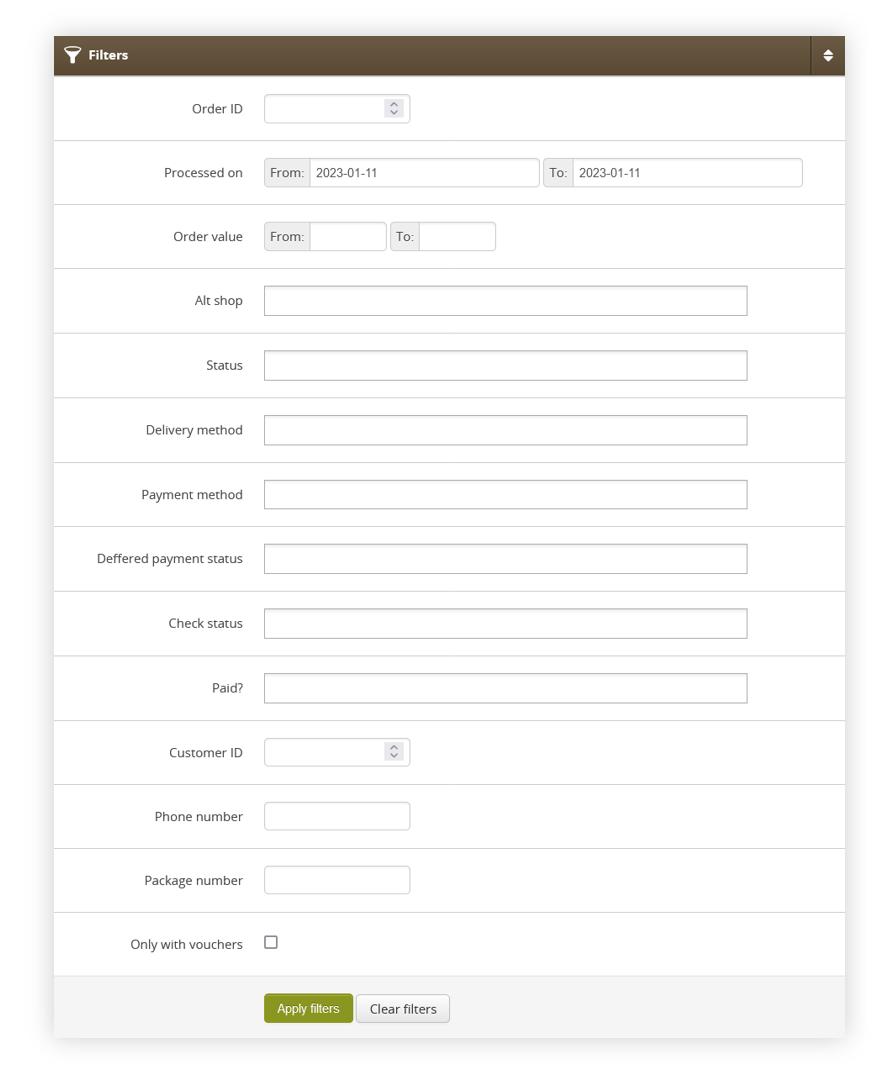 Visualization of the filters tab
After defining the above filters, select the Apply Filters button to get a list of sites according to the applied filters.
Export / orders list section
The Export / orders list section allows to further narrow down the list of orders. Below you will find a description of possible actions.
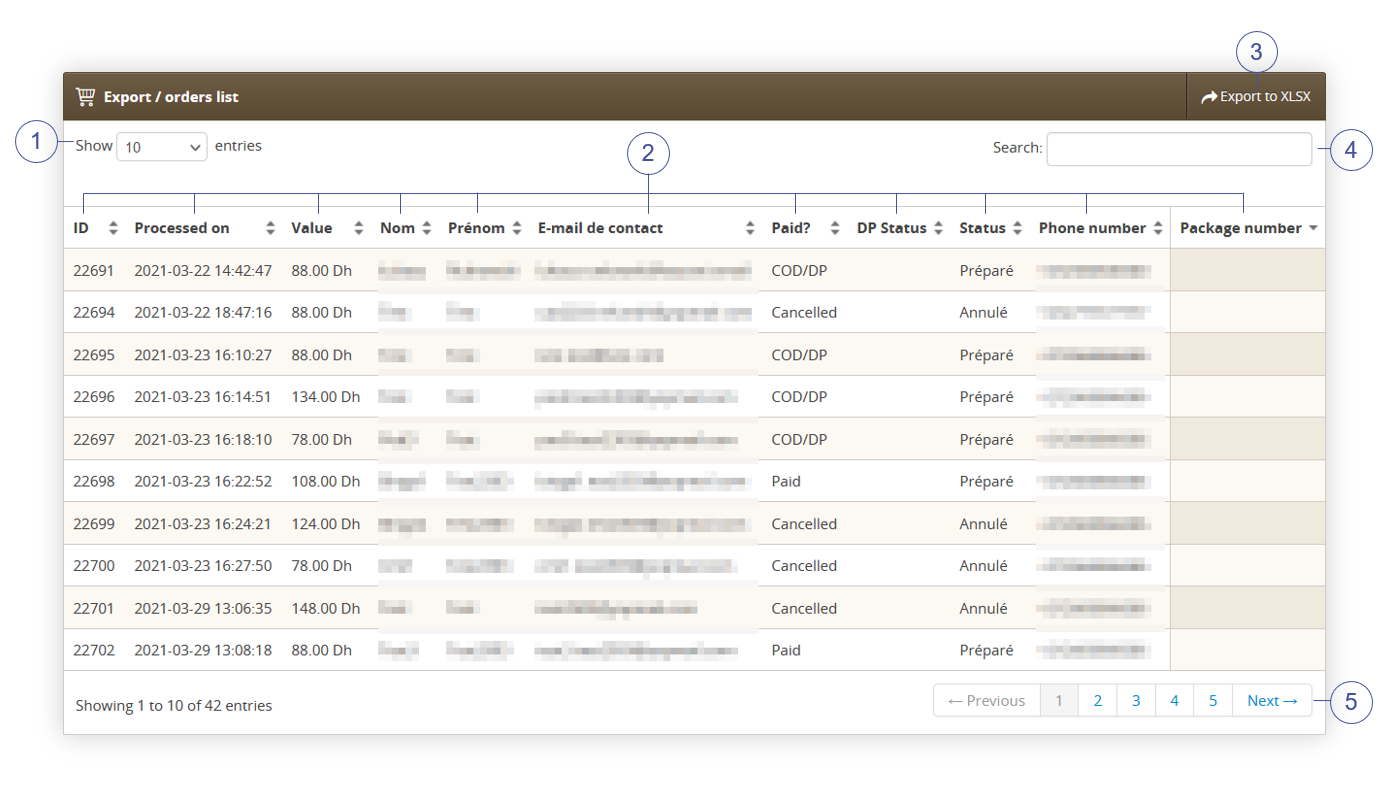 Visualization of the export / orders list section
Last name - Customer's last name. E-mail - Customer's e-mail address. Paid? - Order payment status. DP status - Current status of the deffered payment. Status - Current status of the order. Phone number - Customer's phone number. Package number - Number of the delivery package (Carrier Barcode). Select the Export to xlsx (3) button to export all filtered orders to the xlsx file. You can learn more about exported xlsx file in the Exporting orders to the xlsx section Search box (4) where you can search for desired orders by their ID, first name, last name, e-mail address, status, phone number, and package number. Page buttons (5), which allow users to change the page of currently viewed orders.
Exporting orders to the xlsx
By pressing the Export to xlsx button shown in the Export / orders list section chapter you are able to export all the filtered orders to the xlsx file and download it.
You can find the example export file under the URL:
https://knowledge.tauceti-digital.com/invoice_report_example.xlsx
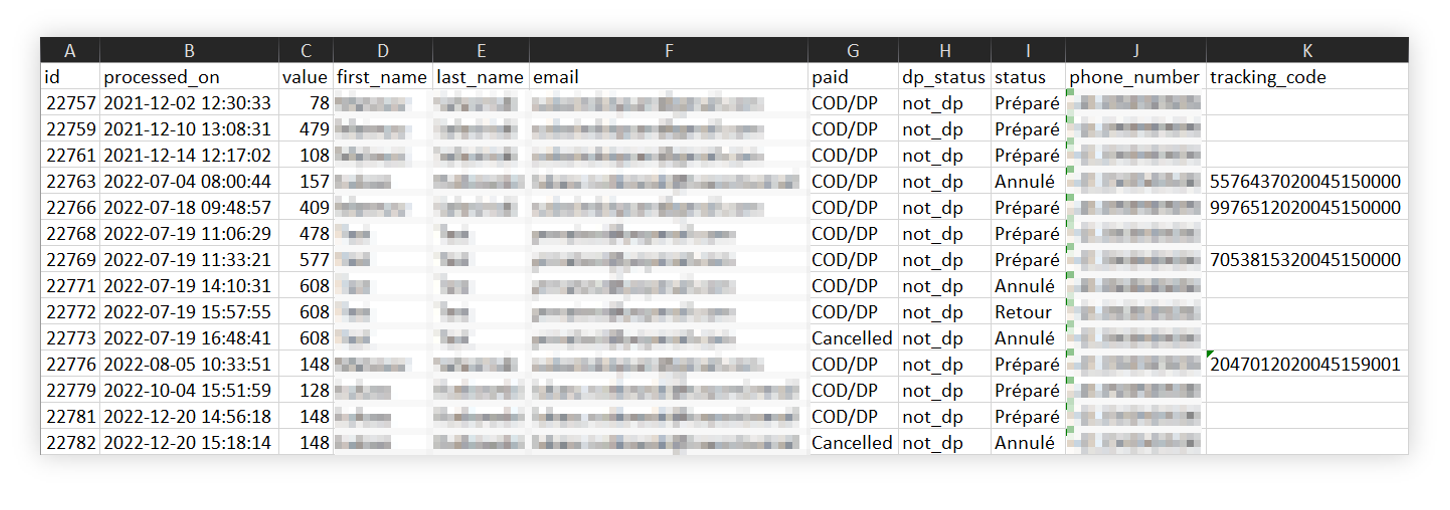 Visualization of the exported orders=s
Xlsx file contains the exactly same information as export / orders list tab:
Customer_last_name - Customer's last name. Customer_email - Customer's e-mail address. Paid - Order payment status. DP status - Current status of the deffered payment. Status - Current status of the order. Customer_mobile - Customer's phone number. Tracking_code - Number of the delivery package (Carrier Barcode). Invoice_number - Number of the invoice. Delivery_street - The street name to which the package will be delivered. Delivery_building - The building number to which the package will be delivered. Delivery_flat - The flat number to which the package will be delivered. Delivery_postal_code - The postal code to which the package will be delivered. Delivery_city - The city name to whihc the package will be delivered. Delivery_company_name - Company name defined by the customer when placing the order. Delivery_tax_id - Tax ID defined by the customer when placing the order.
Delivery_company_id - Company ID defined by the customer when placing the order
Delivery_method - Used delivery method in the order. Parcel_machine_id - Parcel ID in case of deliveries to the parcel points. Country_code - Country code of the country from which the order was created (e.g. HU). Product_list - The list of products separated by pipes (" | "), The list contains its SKU, quantity and price in a SKU;Quantity;Price format. For example: 01569;3;38,90|NOGIFT;1;0,00|60735;5;55,90|59137;1;99,00 Tracking_number - Tracking number of the package provided by the delivery service. Campaign_code - The campaign code that was used when placing the order by the customer. Delivery_fee - Delivery fee which customer paid for the selected order. Payment_fee - Payment fee which customer paid for the selected order.